Player field guide
IRON NEST: Heavy Turret Simulator Wiki
Last reviewed
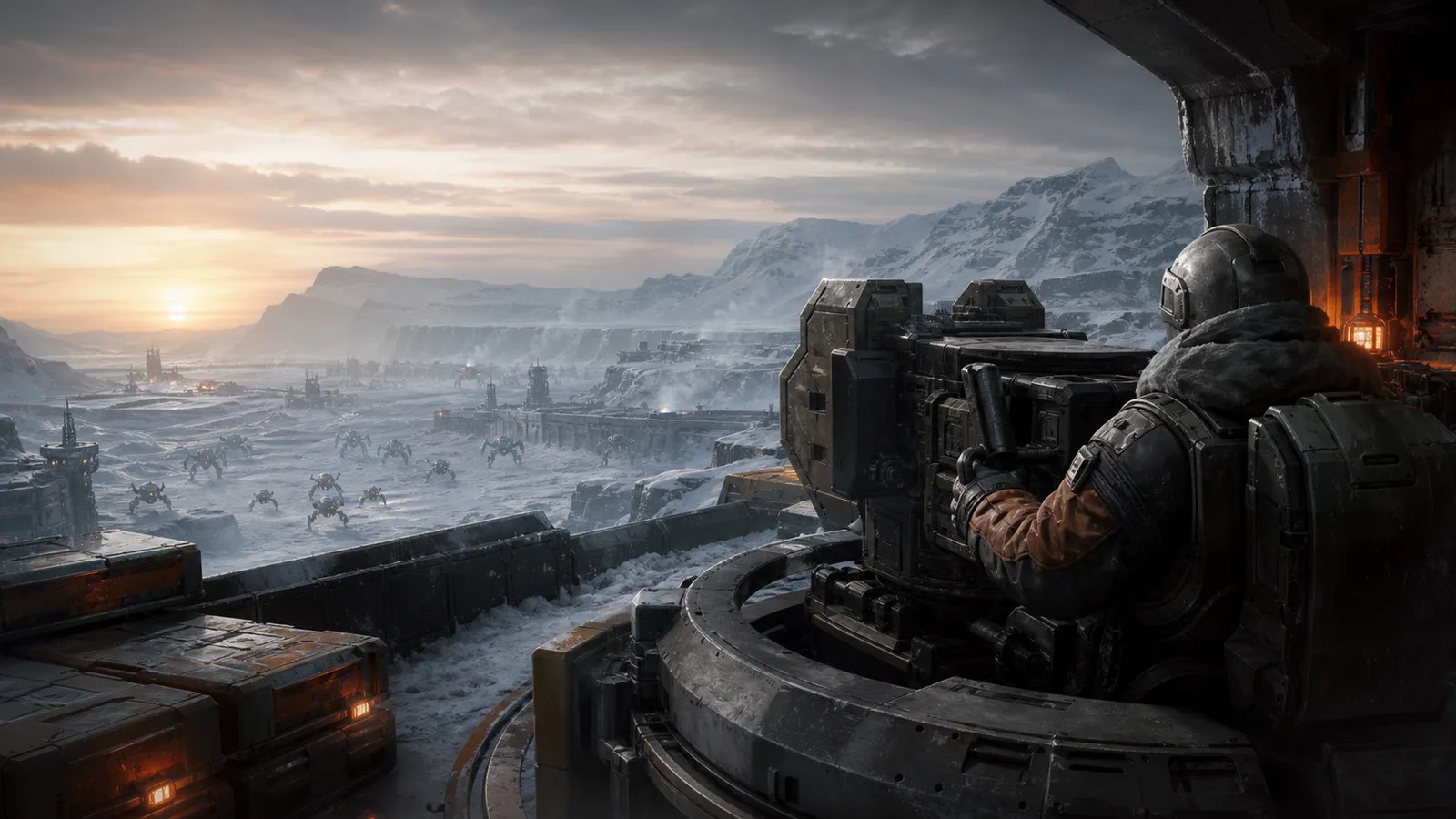
Welcome to the IRON NEST: Heavy Turret Simulator Wiki, a practical field guide for players exploring operate every station of a colossal dieselpunk artillery platform in this single-player tactical simulation, current through patch 6. Use this hub to find clear routes into the systems, objectives, and early decisions that shape a successful run. Guides are organized by player question, so you can start with the basics, jump to a focused topic, or check what changed in the latest supported version. Every page is written for the PC and Steam edition and carries its applicable game version. Begin with Operator Basics if you are new, then follow the topic menu as your next question becomes more specific.
Most useful routes
Popular Guides
- IRON NEST Beginner Firing Solution GuideFor version 1.0 (1663)
- IRON NEST Map Coordinates and Triangulation GuideFor version 1.0 (1663)
- IRON NEST Powder Charges and Elevation GuideFor version 1.0 (1663)
- IRON NEST Heavy Turret Simulator Controls GuideFor version 1.0 (1663)
- IRON NEST Calibration and Missed Shots TroubleshootingFor version 1.0 (1663)
- IRON NEST Ammunition Types and Shell Selection GuideFor version 1.0 (1663)
- How Saving and Resume Work in IRON NESTFor version 1.0 (1663)
- Latest IRON NEST Patch Notes and Current VersionFor version 1.0 (1663), checked 2026-09-02
- IRON NEST System Requirements and Steam Deck SupportFor version 1.0 (1663), checked 2026-09-02
- How IRON NEST Missions and Objectives WorkFor version 1.0 (1663)
First route
Start Here
Operator BasicsIRON NEST Beginner Firing Solution GuidePlot the target, measure range and bearing from the current Nest, calculate elevation for the chosen charge, load the matching shell and charges, lay and arm the intended gun, then verify before firing.
Browse by question
Guide Topics
Operator Basics
Learn IRON NEST controls, station order, firing-solution basics, and the coordinate-map workflow without assuming that any step is automated.
- Verified sourcesIRON NEST Beginner Firing Solution Guide
Plot the target, measure range and bearing from the current Nest, calculate elevation for the chosen charge, load the matching shell and charges, lay and arm the intended gun, then verify before firing.
- Official + communityIRON NEST Heavy Turret Simulator Controls Guide
Treat each console as a physical station, keep world-space hints enabled while learning, use large levers for coarse movement and handwheels for fine adjustment, and verify the active gun before firing.
- Official + communityIRON NEST Map Coordinates and Triangulation Guide
Mark every known point first, project the supplied bearings or ranges from the correct spotters, place the target at their best intersection, then measure the firing line from the current Nest position.
Gunnery Workflow
Choose IRON NEST ammunition, connect powder charges to elevation, and diagnose missed shots using the current 1.0 firing workflow.
- Official + communityIRON NEST Ammunition Types and Shell Selection Guide
Match the shell to the ordered effect and target protection, confirm the expected blast or utility area on the map, and verify the loaded round before sealing the breech.
- Official + communityIRON NEST Calibration and Missed Shots Troubleshooting
Rebuild the shot from the map outward, checking the exact Nest origin, target intersection, fresh range and bearing, calculated-versus-loaded charges, elevation, and armed barrel before compensating.
- Official + communityIRON NEST Powder Charges and Elevation Guide
Choose a charge count the calculator accepts for the measured range, generate the elevation, load exactly that many charges, and recalculate whenever the charge count changes.
Missions and Progression
Understand IRON NEST mission flow, requisition unlocks, medals, and Steam achievements while separating fixed rules from current-build data.
- Official + communityIRON NEST Achievements and Gold Medals Guide
Complete each mission normally first, record its medal requirements, replay for every gold condition and ending, and update to version 1.0 (1663) before diagnosing a missing Steam unlock.
- Verified sourcesHow IRON NEST Missions and Objectives Work
Read the teleprinter objective, solve the changing battlefield information, complete the required effects rather than merely firing, dismiss the operation newspaper, then sleep to begin the next mission.
- Official + communityIRON NEST Requisition and Upgrades Guide
Reserve enough requisition to execute the required shots, then spend on reconnaissance, specialized ammunition, or battlefield-control abilities only when they remove a specific mission risk.
Technical and Updates
Check IRON NEST save-and-resume behavior, PC requirements, Steam Deck verification, accessibility changes, and the latest official patch baseline.
- Official + communityLatest IRON NEST Patch Notes and Current Version
Patch 6 version 1.0 (1663) is the latest official build verified here; it adds mission-exit Save and Resume and fixes Iron Road, gold-medal unlocks, motion blur, and attribution issues.
- Verified sourcesHow Saving and Resume Work in IRON NEST
On version 1.0 (1663), exiting a mission creates a resumable mission save; return through the continuation option, and do not describe the system as an unrestricted manual save at any moment.
- Official + communityIRON NEST System Requirements and Steam Deck Support
IRON NEST requires a 64-bit PC, 4 GB RAM and 5 GB storage at minimum, while Steam currently marks it Deck Verified; performance still depends on build, settings, thermals, and mission load.
Latest field notes
Recently Updated
- IRON NEST Ammunition Types and Shell Selection Guide
- IRON NEST Calibration and Missed Shots Troubleshooting
- IRON NEST Powder Charges and Elevation Guide
- IRON NEST Achievements and Gold Medals Guide
- How IRON NEST Missions and Objectives Work
- IRON NEST Requisition and Upgrades Guide
- IRON NEST Beginner Firing Solution Guide
- IRON NEST Heavy Turret Simulator Controls Guide
- IRON NEST Map Coordinates and Triangulation Guide
- Latest IRON NEST Patch Notes and Current Version
Reference card
Game Information
- Platform
- PC / Steam
- Status
- Released
- Release date
- August 6, 2026
- Developer
- Nick Nieuwoudt and Dominik Latos
- Publisher
- Nick Nieuwoudt and Dominik Latos
- Genre
- Simulation, Action, Tactical
- Modes
- Single-player
- Current version
- 1.0 (1663)
Same primary genre